A training sign-in sheet usually sits in a folder until someone asks, "Can you show that this person was trained?" That might be an auditor, an insurance adjuster or an inspector after an accident. At that point, a page of first names and initials doesn't prove much. Here's what a training attendance sheet needs so it still answers that question a year later.
Quick answer
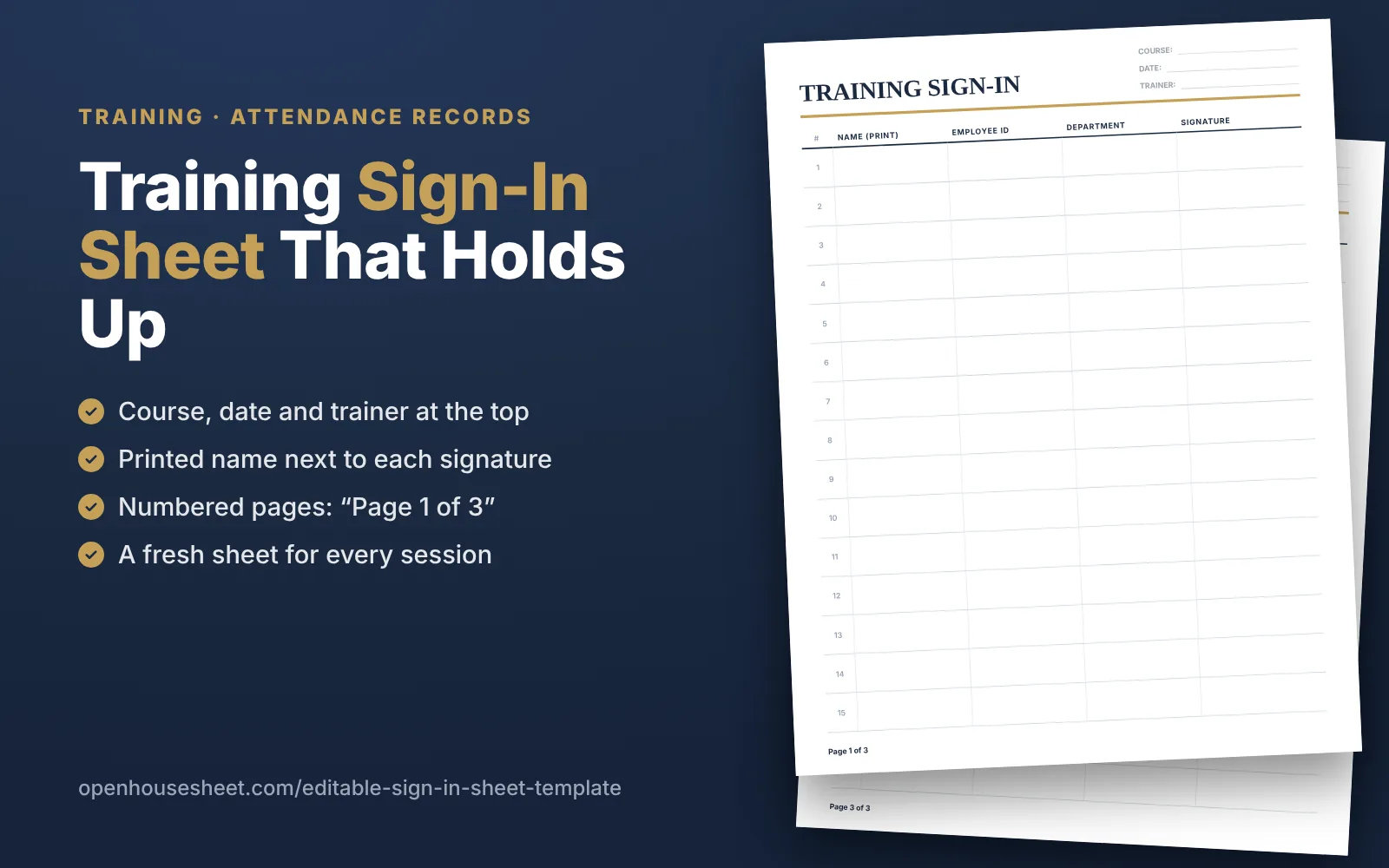
A training sign-in sheet should show what was taught (course or topic), when (date and time), where, and who taught it at the top, then each attendee's printed name, an ID or department, and their signature. Use a new sheet for each session, number the pages ("Page 1 of 3") and have the trainer sign at the bottom. You can make one with these columns in the editable sign-in sheet template.
Training · Attendance · Numbered pages
Make your training sign-in sheet
Course, Date and Trainer at the top, a Signature column, and "Page 1 of 3" on every page.
What to include on a training sign-in sheet
At the top of every page
- Course or topic, written out in full: "Forklift Refresher," not "FL."
- Date, plus start and end time for anything longer than an hour.
- Location (site, room, or "Online").
- Trainer's name, printed, with a line for their signature at the bottom.
In the table
| Column | Why it matters |
|---|---|
| # | Numbered rows give you a headcount at a glance and show if rows were added later. |
| Name (printed) | A signature alone is often unreadable. The printed name makes it clear who signed. |
| Employee ID or company | Separates two people with the same name, and contractors from staff. |
| Department or job title | Shows the training matched the role, which auditors often check. |
| Signature | The attendee confirms they were there. This is the column that makes it a record. |
Five columns is the most that fits on a portrait page with room to sign. If you need a sixth (like Time In and Time Out for an all-day class), turn the page to landscape or drop Department.
What OSHA expects from training records
OSHA doesn't have one sign-in sheet format for every kind of training. Many of its standards require training, and the ones that require records generally expect them to show who was trained, when, and on what. A sign-in sheet with the course, date and printed names covers the first two, and an attached outline or agenda covers the third.
Some standards spell out more. For example, the forklift standard requires the employer to certify each operator's training and evaluation, including the operator's name, the training and evaluation dates, and who did them. OSHA-authorized Outreach trainers (the 10- and 30-hour courses) must keep a separate sign-in sheet for each day of class, with printed names next to signatures and the course, date, time, location and instructor on the sheet, and keep class records for five years.
Requirements depend on the standard and your industry, so check the rules that apply to your training. OSHA's publication Training Requirements in OSHA Standards lists them. This article is general information, not legal advice.
7 habits that make attendance records hold up
- A new sheet for every session. For a multi-day class, use one sheet per day. A single sheet "for the week" can't show who missed Wednesday.
- Attendees sign for themselves. A pre-printed roster is fine, but the signature must be the attendee's own.
- Sign in at the start. For long sessions, add a sign-out time so partial attendance is visible.
- Note late arrivals next to their row instead of letting them sign at the top.
- Number the pages. "Page 2 of 3" shows that nothing is missing.
- The trainer signs and dates the last page, confirming the list is complete.
- Attach the agenda or outline and scan the set. A photo on a phone is not a filing system.
Training sign-in sheet vs. attendance sheet vs. roster
- Roster: the list of people who are supposed to attend, made before the session.
- Sign-in sheet (attendance sheet): the list of people who did attend, signed during the session. This is the training record.
- Sign-up sheet: where people register for a session ahead of time. Here's how sign-in and sign-up sheets differ.
Training sign-in sheet examples
Safety training or toolbox talk
Top: Topic, Date, Site, Trainer. Columns: Name (print), Company, Job Title, Signature.
New-hire orientation
Top: Session, Date, Presenter. Columns: Name (print), Employee ID, Department, Start Date, Signature.
CPR, first aid or certification class
Top: Course, Date, Instructor. Columns: Name (print), Email, Phone, Signature. You'll need the contact details to send certificates.
Continuing education class
Top: Course, Date, Hours, Instructor. Columns: Name (print), License #, Time In, Time Out, Signature.
How to make a training sign-in sheet with numbered pages
- Open the editable sign-in sheet template and title it, like Safety Training Sign-In.
- Set the top lines to Course, Date and Trainer.
- Set the columns, for example Name (print), Employee ID, Department, Signature.
- Choose 15 rows per page. Fewer, taller rows leave room for signatures.
- Enter the total number of attendees, like 45. The template numbers rows 1 to 45 across three pages, with "Page 1 of 3" on each.
Your title and rows per page are free. Custom columns, top lines, numbered pages and your logo are part of a one-time $5 unlock, with no subscription. For a quick class with Name, Phone and Email, the free printable sign-in sheet works with no signup.
Key takeaways
- Top of the page: course, date and time, location, trainer.
- Table: number, printed name, ID or company, department, signature.
- Use one sheet per session or day, numbered pages, and a trainer signature.
- Training records usually need to show who was trained, when, and on what. Check the standard that applies to you.
Training · Attendance · Up to 500 rows
Make your training sign-in sheet
Course, Date and Trainer at the top, a Signature column, and numbered pages for the whole class.
Keep reading

About the author
Jane Luo is the founder of Open House App. She is a licensed NJ & NY realtor at Coldwell Banker Realty (NJ Circle of Excellence Award recipient), a senior data scientist, and a Google Cloud Certified Generative AI Leader. She built Open House App after ten visitors signed her paper sheet at one open house and only two phone numbers worked. More about Jane →
Frequently Asked Questions
What should a training sign-in sheet include?
At the top: course or topic, date and time, location and the trainer's name. In the table: a row number, each attendee's printed name, an employee ID or company, their department or job title, and their signature.
Does OSHA require a training sign-in sheet?
OSHA doesn't require one specific form. Many standards require training, and those that require records generally expect them to show who was trained, when and on what, which a complete sign-in sheet helps document. Check the standard that applies to your training.
Why should attendees print their name and sign?
Signatures are often unreadable. A printed name next to each signature makes it clear who attended, which matters if the record is checked months later.
Should I use one sign-in sheet for a multi-day training?
No. Use a separate sheet for each day so the record shows who attended each session. OSHA Outreach trainers, for example, must keep a separate sign-in sheet for each day of class.
How long should I keep training sign-in sheets?
It depends on the standard and your industry. Some training records must be kept for set periods, and OSHA Outreach trainers keep class records for five years. Many employers keep them at least for the length of employment.
What's the difference between a training sign-in sheet and a roster?
A roster lists who is supposed to attend. A sign-in sheet records who actually attended, with each person's own signature. The sign-in sheet is the attendance record.
How do I number sign-in sheets across several pages?
In the editable sign-in sheet template, enter the total number of attendees (up to 500). Rows are numbered straight through and each page shows "Page X of Y". Numbered pages are part of a one-time $5 unlock.
Can a training sign-in sheet be digital?
Yes, if it captures the same details: course, date, trainer, each person's name and their confirmation that they attended. Many teams still prefer paper for signatures, then scan and file it with the agenda.