The worst time to find out your sign-in needs the internet is when the first visitor walks in.
Quick answer
Yes, you can run a digital open house sign-in with no Wi-Fi or cell service. Open House App gives you two ways: the free Open House Sign-In app for iPhone and iPad works fully offline, saves every sign-in on your device and exports to CSV for free; and the Pro web sign-in ($29/month, or $19/month billed annually) keeps working after the page is loaded, saves sign-ins on the device and syncs them to your account automatically when you reconnect. Set either one up before you lose signal.
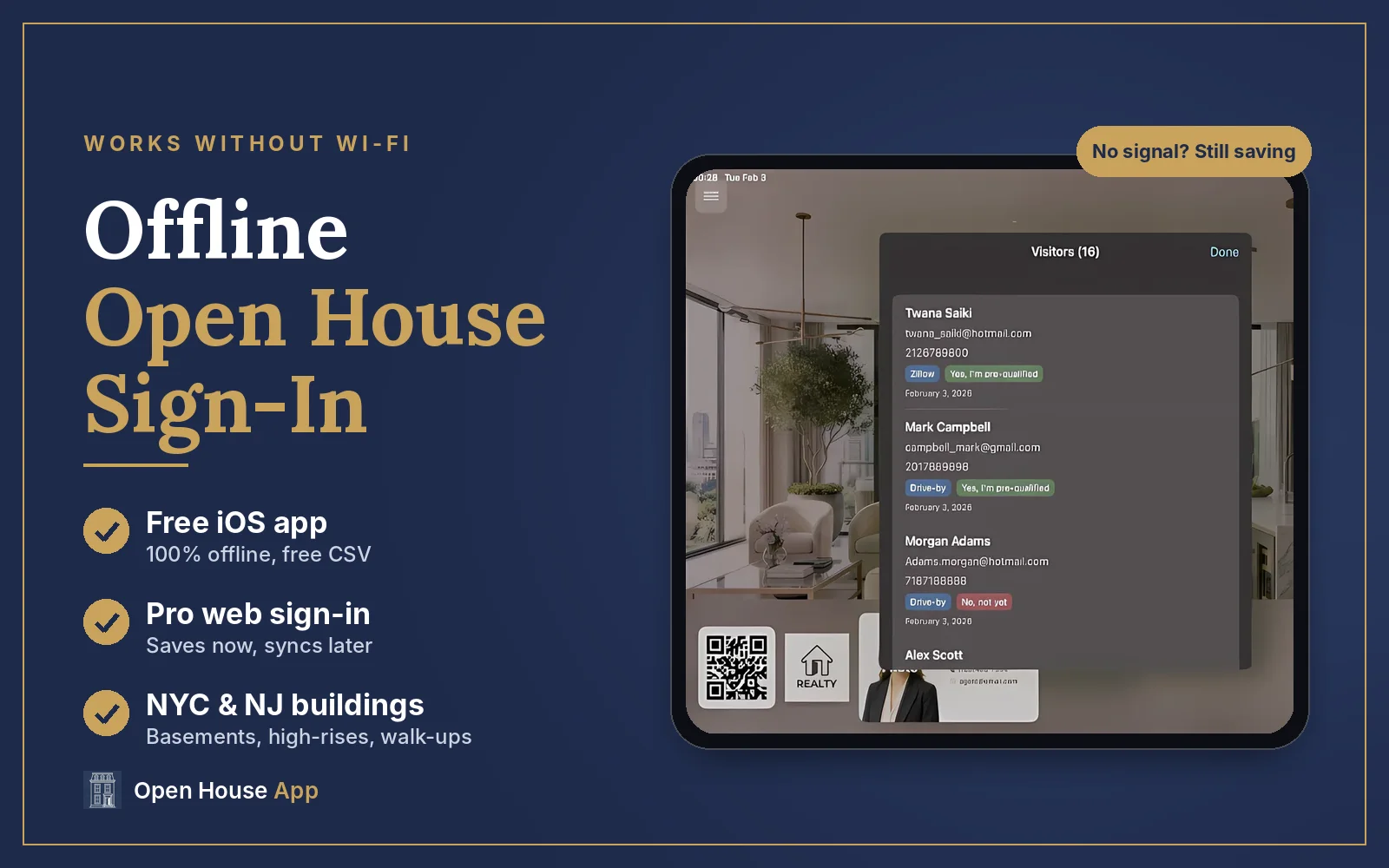
I host open houses in New Jersey and New York, and some of my listings have no usable signal at all: garden-level units, older buildings with thick masonry walls, and vacant homes where the seller has already cancelled the internet. A sign-in that spins on "Connecting…" is worse than a clipboard, because visitors give up and walk past it. This guide covers which options keep working offline, how to set each one up, and the one thing that does not work in a dead zone.
Free · Works 100% offline
Get the free Open House Sign-In app
Unlimited sign-ins on iPhone and iPad, saved on your device, with free CSV export.
Why do so many open houses have no signal?
Agents run into the same few situations again and again:
- Vacant listings. Sellers often cancel internet service when they move out, so there is no Wi-Fi to join.
- Concrete and steel buildings. High-rise condos and pre-war co-ops can block cell signal, especially in interior units and lower floors.
- Below grade. Garden-level apartments, finished basements and lower-level units often have weak or no reception.
- New construction. Service may not be activated yet when you host the first open houses.
- Busy weekends. Even with signal, a slow connection makes visitors wait at the door.
In each case, the fix is the same: use a sign-in that saves to the device first and does not need the internet to accept the next visitor.
Which open house sign-in options work offline?
| Option | Works with no signal? | Where sign-ins are saved | Export | Cost |
|---|---|---|---|---|
| Open House Sign-In app (iPhone & iPad) | Yes, fully offline | On your iPhone or iPad | Free CSV export; push contacts to your phone in one tap | Free (optional upgrades) |
| Pro web sign-in (any browser) | Yes, once the page is loaded | On the device first, then synced to your account when you reconnect | CSV and Export to CRM | Pro $29/month ($19 billed annually); Elite $79/month ($59 billed annually); 7-day free trial |
| Free web sign-in (Basic) | Not built for offline use; open it where you have a connection | Your browser and your account | Copy Data free; CSV $0.99 one-time | Free |
| Printable paper sheet | Yes | On paper | Retype by hand | Free |
If you want offline sign-in for free, use the iOS app. If you already use the web sign-in on Pro for its AI Location Highlights, branded welcome screen and automatic thank-you emails, it keeps capturing sign-ins when the connection drops.
How do you use the free iOS app at a no-signal open house?
- Install it before the day. Download the free Open House Sign-In app from the App Store while you are on Wi-Fi.
- Set up the listing at home. Add the property and your details before you leave, so nothing on site depends on a download.
- Hand visitors the iPad. Each sign-in is saved on the device. You can collect visitors all day in a dead zone.
- Export afterward. Export the visitor list to CSV for free, or push the contacts to your phone in one tap. Creating the file works on the device; emailing it or uploading it to your CRM needs a connection.
How does the Pro web sign-in work offline?
The Pro sign-in at openhousesheet.com/pro runs in any browser on an iPad, tablet, laptop or phone. Once the page has loaded, it keeps working without a connection:
- Each sign-in is saved on the device right away, so the next visitor never waits.
- Sign-ins sync automatically to your account as soon as the device is back online, or the next time you open the page with a connection.
- You need internet for the first load and for the AI features, such as AI Location Highlights and StageVibe virtual staging.
Setup tips for a dead zone:
- ☐Open the Pro page and finish setup (listing photo, logo, custom questions) while you still have signal, at home or outside the building.
- ☐Generate your AI Location Highlights before you go in, so the neighborhood talking points are already on the welcome screen.
- ☐Keep the tab open during the open house.
- ☐Afterward, reconnect and check that every visitor appears in your list before you clear the browser or switch devices.
Can visitors scan a QR code to sign in on their own phone?
On Pro, the welcome screen shows a QR code visitors can scan to sign in on their own phone. That is handy on a busy Sunday, but it needs the visitor's phone to have a connection to load the form. In a building with no signal, keep the iPad at the door as your main sign-in and treat the QR code as a bonus for visitors who can get online. Here is how QR code sign-in works.
Will a mobile hotspot solve it?
Sometimes. If your phone has cell service and the building does not have Wi-Fi, a hotspot from your phone works well, and it lets you use the AI features on site. It does not help when your phone has no signal either, which is common in basements and interior units. That is when an offline sign-in matters.
What should you check before a no-signal open house?
- ☐Visit the property once and check your phone's signal in the rooms where you will stand.
- ☐Install the iOS app, or load and set up the Pro sign-in, before you arrive.
- ☐Charge the iPad and bring a battery pack.
- ☐Print your flyers and a few paper sign-in sheets as a backup.
- ☐Ask "Are you working with an agent?" on the form, so your follow-up is right the first time.
- ☐Back online, export or sync your leads the same day and follow up within 24 hours.
For the full routine, see our open house checklist, and for what to send afterward, our 7 open house follow-up email templates.
7-day free trial
Sign-ins that save now and sync later
Pro adds offline web sign-in, AI Location Highlights, 30 StageVibe images a month and automatic thank-you emails.
Keep reading

About the author
Jane Luo is the founder of Open House App. She is a licensed NJ & NY realtor at Coldwell Banker Realty (NJ Circle of Excellence Award recipient), a senior data scientist, and a Google Cloud Certified Generative AI Leader. She builds the tools she uses at her own open houses.
Frequently Asked Questions
Do open house sign-in apps work offline?
Some do. Open House App's free Open House Sign-In app for iPhone and iPad works fully offline and saves every sign-in on the device. Its Pro web sign-in also keeps working once the page is loaded and syncs sign-ins when you reconnect. Check any app before hosting in a home without Wi-Fi.
Is there a free open house sign-in app that works without Wi-Fi?
Yes. The Open House Sign-In app for iPhone and iPad is free, works with no Wi-Fi or cell service, allows unlimited sign-ins and includes free CSV export.
Does the Open House App web sign-in work without internet?
The Pro and Elite web sign-in works offline once the page is loaded: sign-ins save on the device and sync to your account automatically when you reconnect. You need internet for the first load and for AI features. The free Basic web sign-in is not built for offline use, so use the free iOS app when you expect no signal.
What happens to sign-ins captured offline?
In the iOS app, they stay on your iPhone or iPad until you export them. In the Pro web sign-in, they are saved on the device and sync to your account as soon as it is back online, or the next time you open the page with a connection.
Can visitors sign in with a QR code if there is no cell service?
Only if their own phone has a connection, because the QR code opens the sign-in form on the visitor's phone. In a dead zone, keep an iPad at the door as your main sign-in.
Do I need Wi-Fi to export my open house leads?
The iOS app creates the CSV on your device, so exporting works offline. Emailing the file or uploading it to your CRM needs a connection.