Every visitor at your open house reads exactly one piece of paper: the sign-in sheet. On a generic template, it doesn't say a single word about you. Starting today, it can put your face, your name and your number in front of every buyer who walks in.
Quick answer
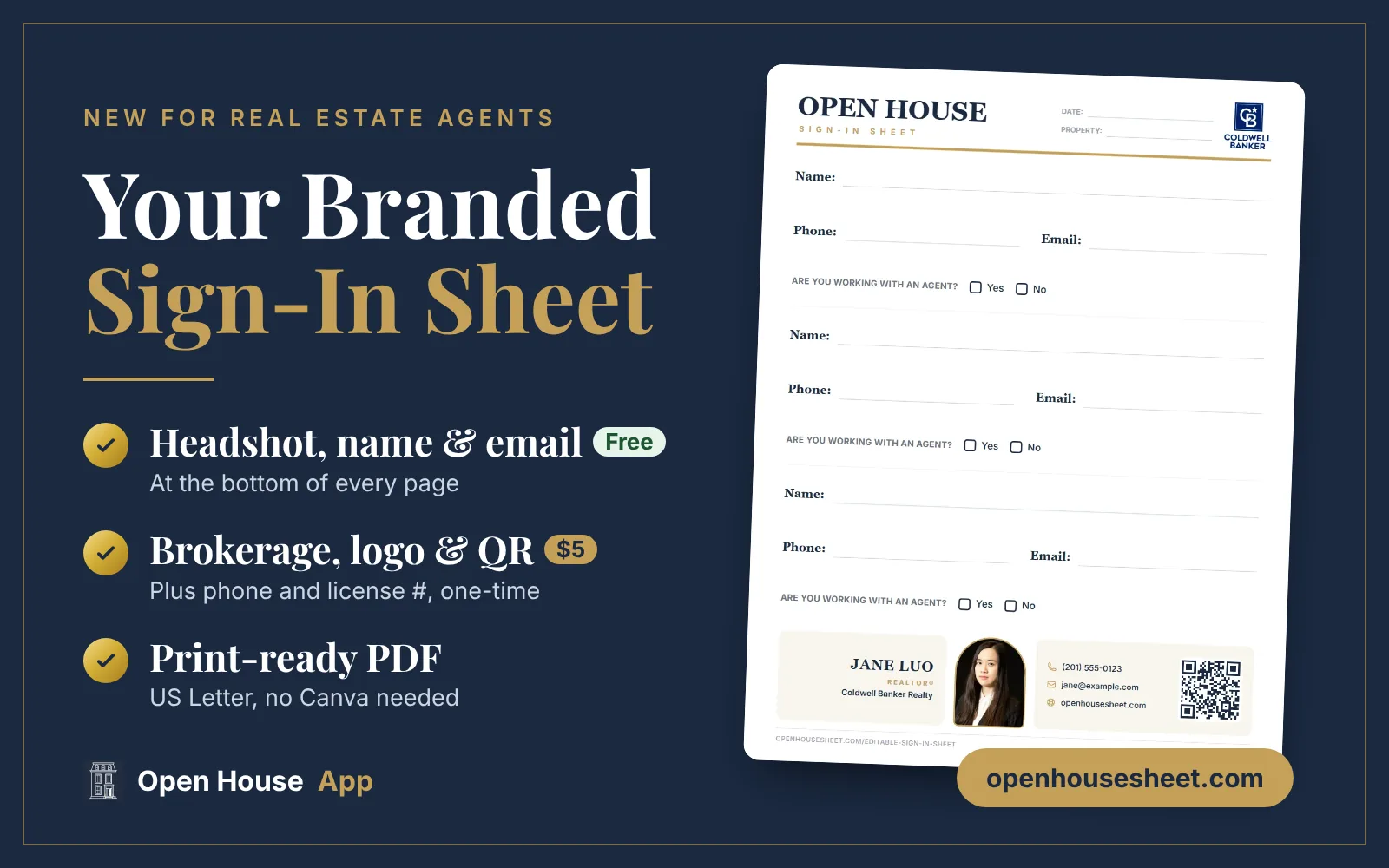
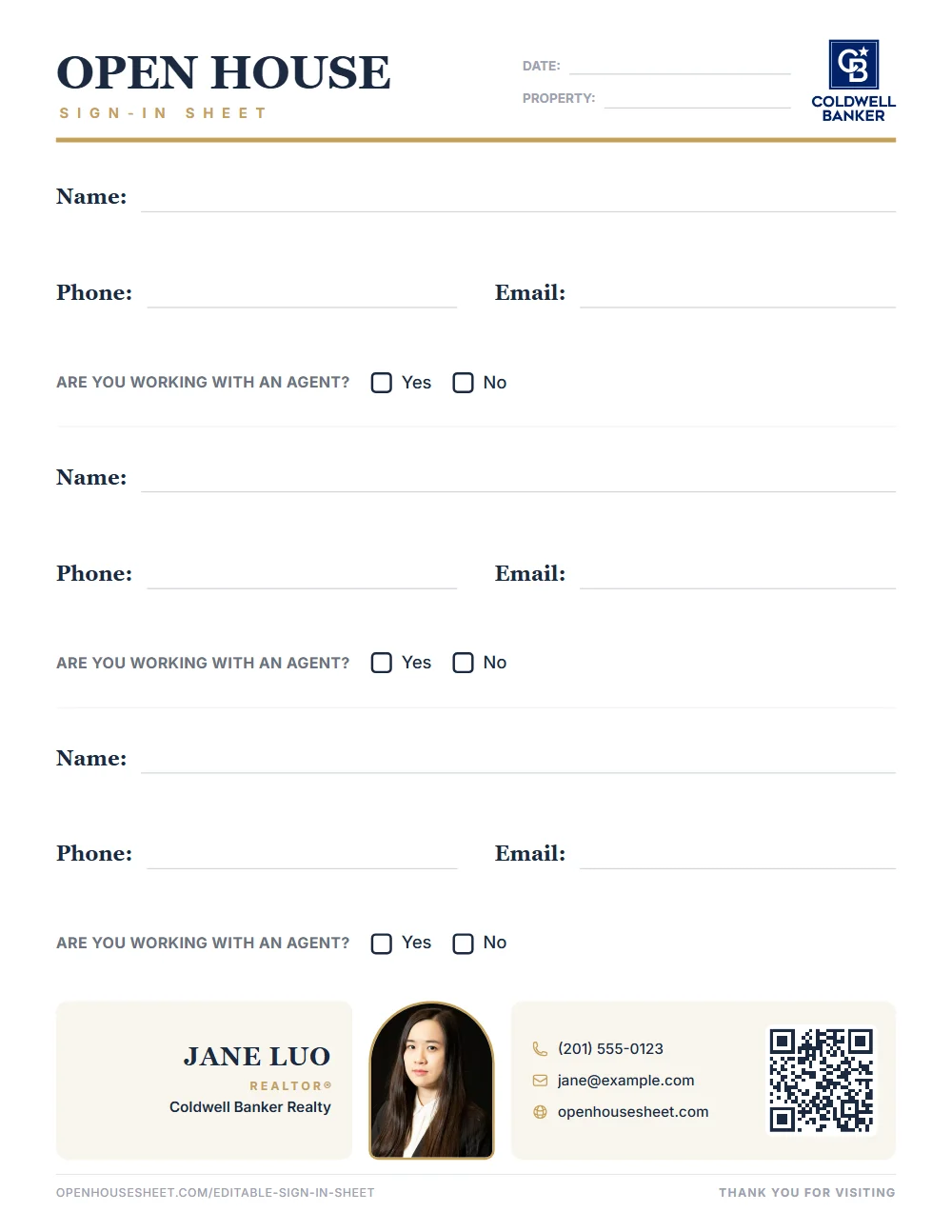
Open House App's editable open house sign-in sheet puts your headshot, name and email at the bottom of every page, free. For a one-time $5, add your title, brokerage, license #, phone, website, a QR code and your brokerage logo. You edit it in your browser and print or download a US Letter PDF. No Canva, no Word, no subscription.
New · Free to start
Make your branded sign-in sheet
Your headshot, name and email are free. Logo, brokerage, phone and QR code: $5 once.
Why should your open house sign-in sheet have your photo and contact info?
A blank sign-in sheet collects names, but it gives nothing back. Visitors sign, tour the house and leave, often on their way to two or three more open houses that afternoon. By Monday, the house they liked and the agent who hosted it have blurred together.
A branded open house sign-in sheet fixes that at the one spot every visitor stops:
- Buyers remember a face. Your headshot is what ties the house to you after a weekend of showings.
- Unrepresented buyers see who to call. The visitors who check "No" next to "Are you working with an agent?" are reading your name and phone number at the same moment.
- Your brokerage is front and center. Many states and brokerages require the brokerage name on marketing materials. Add it once and it's on every sheet.
- Easy follow-up in both directions. Visitors can snap a photo of the sheet or scan the QR code to save your website.
- It matches the rest of your marketing. Navy and gold, your logo at the top and a clean layout that looks right next to your listing flyers.
What's free and what's $5?
The essentials are free forever. The details that get you the callback are a single $5 unlock, and you only pay it once.
| On your sheet | Free | Pro details ($5 one-time) |
|---|---|---|
| Your headshot | ✓ | ✓ |
| Your name and email | ✓ | ✓ |
| Print or download a US Letter PDF | ✓ (free account) | ✓ |
| Title (for example REALTOR®) and license # | — | ✓ |
| Brokerage name and phone | — | ✓ |
| Website and a QR code that opens it | — | ✓ |
| Brokerage logo (top right) | — | ✓ |
| Hide the small openhousesheet.com line | — | ✓ |
$5 once, not every month. Unlock the Pro details one time and they print on every sheet you make, for every listing. Your details are saved to your free account, so your next sheet is ready in seconds. Already on Pro? The Pro details are included.

How do you customize an open house sign-in sheet?
It takes about two minutes, and you can see every change before you print.
- Open the editor. Go to openhousesheet.com/editable-sign-in-sheet.
- Add your name, email and headshot. They're free, and the sheet updates as you type. Your photo goes in the arch at the bottom of the page.
- Add Pro details if you want them. Title, brokerage, license #, phone, website, a QR code and your brokerage logo show on the preview right away. They print once you unlock them for $5, or with Pro.
- Create a free account to print or download. No credit card. Your details are saved for next time.
- Print a few copies. Each page fits 3 visitors. Write the date and property address at the top before the doors open.
Need a polished headshot first? ShowVibe can restyle the photo you have, and your first 12-season color test is free.
Do you need Canva or Word to make a custom sign-in sheet?
No. Templates in design apps work, but you have to line up the fields, resize your photo and export the file again for every open house. The editable sheet does the layout for you: you fill in your details once, and every future sheet is already branded.
Because your branding is saved to your Open House App account, it carries over when you switch to digital sign-in too. Your name, phone, headshot and logo are already filled in.
Blank, branded or digital: which sign-in sheet should you use?
| Sheet | Best for | Cost |
|---|---|---|
| Blank printable sheet | A quick open house with no setup, 4 visitors per page | Free, no signup |
| Editable branded sheet | Paper sign-in with your headshot and contact info, 3 visitors per page | Free account; Pro details $5 one-time |
| Digital sign-in | Visitors type on your iPad or phone, so there's no handwriting to decode | Free to try |
Many agents use both: a branded paper sheet on the kitchen counter, and digital sign-in on an iPad by the door. Visitors pick whichever feels easier, and every sign-in shows your brand.
5 tips to get more callbacks from a paper sign-in sheet
- Pre-fill the top. Write the date and property address before the first visitor arrives, so every page is labeled when you file it.
- Put the sheet where people stop. The kitchen counter works well, especially next to a few open house snacks.
- Bring a good pen, or two. A pen that skips is how you end up with a phone number you can't read.
- Read the "working with an agent?" boxes first. Visitors who checked "No" are your first calls on Monday.
- Follow up within a day. Our open house follow-up email templates give you the wording.
Key takeaways
- Your headshot, name and email on every page: free.
- Brokerage, phone, license #, website, logo and QR code: $5 one-time, not a subscription.
- Edit in your browser, then print or download a US Letter PDF. No Canva or Word.
- 3 visitors per page, and your details are saved for every future sheet.
- Included with Pro and Elite.
Ready for this weekend
Put your name on every sign-in
Start free with your headshot, name and email. Add your brokerage, phone, logo and QR code for a one-time $5 whenever you're ready.
Make My Sign-In Sheet →Free account, no credit card. Or skip paper: try digital sign-in free.
Keep reading

About the author
Jane Luo is the founder of Open House App. She is a licensed NJ & NY realtor at Coldwell Banker Realty (NJ Circle of Excellence Award recipient), a senior data scientist, and a Google Cloud Certified Generative AI Leader. She built Open House App after ten visitors signed her paper sheet at one open house and only two phone numbers worked. More about Jane →
Frequently Asked Questions
Is the editable open house sign-in sheet free?
Yes. Your headshot, name and email are free, and a free Open House App account (no credit card) lets you print the sheet or download the PDF.
How much does it cost to add my brokerage logo and a QR code to my open house sign-in sheet?
$5, one time. That unlocks the Pro details: your title, brokerage, license number, phone, website, a QR code that links to your website, and your brokerage logo. They're also included with Pro and Elite.
Is the $5 a subscription?
No. It's a one-time payment. Once you unlock the Pro details, they print on every sheet you make, and your details are saved to your free account for next time. You don't even need an account to buy: pay, print right away, and we email you a link that saves it to a free account.
How many visitors fit on one page?
Three visitors per page on the editable branded sheet, with your photo and contact details across the bottom. The blank printable sign-in sheet fits four visitors per page.
Do I need Canva or Word to customize an open house sign-in sheet?
No. You edit everything in your browser at openhousesheet.com/editable-sign-in-sheet, watch the sheet update as you type, and download a print-ready US Letter (8.5 x 11 inch) PDF.
Can I remove the openhousesheet.com line from the sign-in sheet?
Yes. Hiding the small openhousesheet.com line is part of the Pro details, so it comes with the one-time $5 unlock, or with Pro and Elite.