A sign-in sheet is often the first thing a guest touches at your event. A plain grid with someone else's website at the bottom looks thrown together. Your logo at the top tells people whose event this is and who will be in touch, and it takes about two minutes to set up.
Quick answer
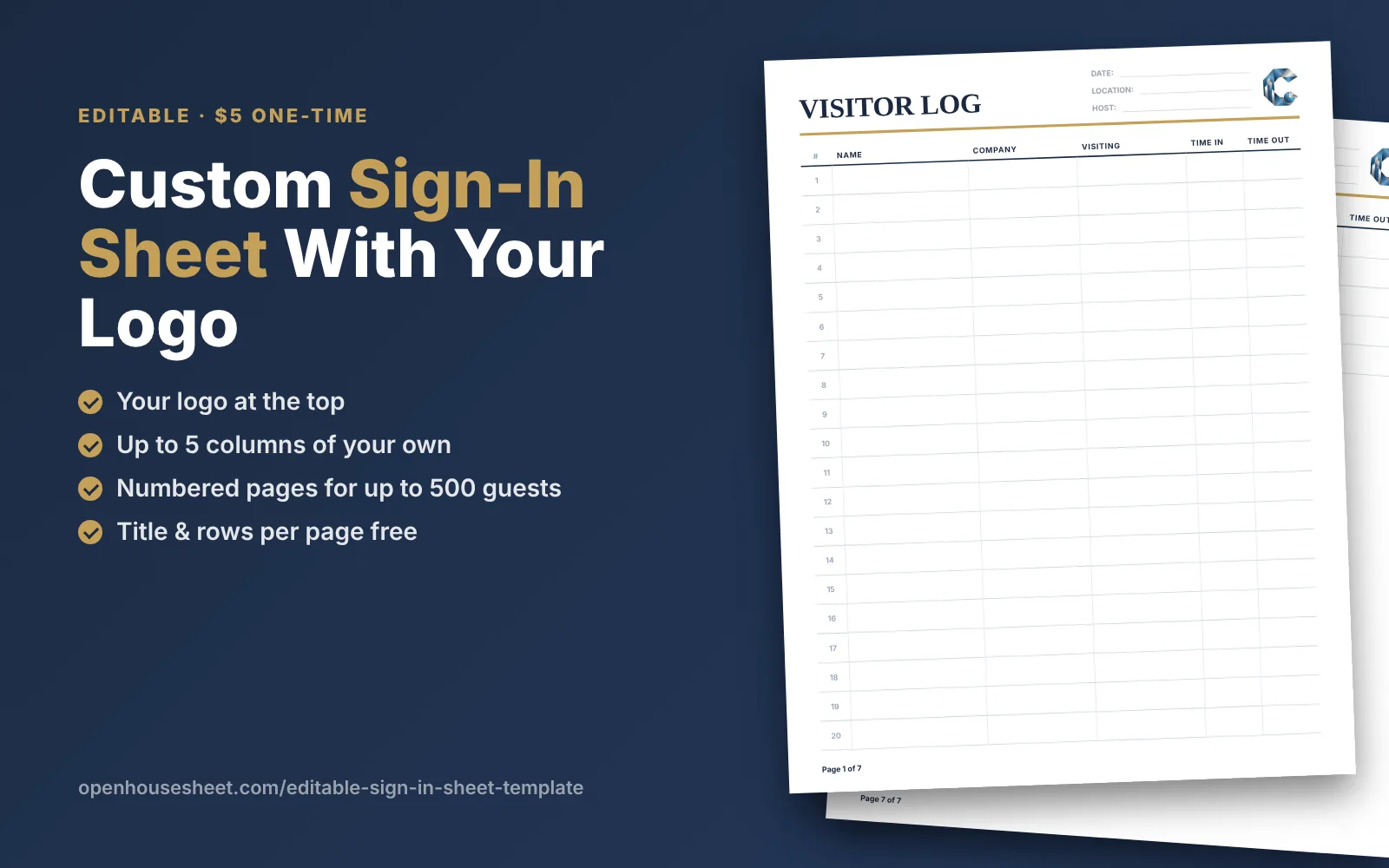
Open the editable sign-in sheet template, type your title and choose 5 to 20 rows per page. That's free with an account. A one-time $5 adds your logo, up to 5 columns and 3 top lines of your own, and numbered pages for up to 500 guests with "Page X of Y" on each. Print it, or download every page as one PDF.
Title & rows free · logo & columns $5 one-time
Make your custom sign-in sheet
Your logo, your columns and numbered pages for up to 500 guests. No subscription.
Why put your logo on a sign-in sheet?
- It looks like your event. A branded sheet at the front desk or welcome table looks planned, not printed five minutes ago.
- Guests know who's asking. People are more comfortable leaving a real email when they can see who will use it.
- It stays yours in a folder. Weeks later, a stack of branded sheets is easy to tell apart from a pile of plain ones.
- It matches the rest of your materials: your flyers, name tags and signs.
What's free and what's in the $5 unlock?
| On your sheet | Free (free account) | $5 one-time |
|---|---|---|
| Your title | ✓ | ✓ |
| 5 to 20 rows per page | ✓ | ✓ |
| Print or download a US Letter PDF | ✓ | ✓ |
| Logo at the top right | Open House App logo | Your logo |
| Columns | Name, Phone, Email | Up to 5 of your own |
| Lines at the top | Date, Event | Up to 3 of your own |
| Numbered pages | One page | Up to 500 rows, "Page X of Y" |
| openhousesheet.com line | Shown | Shown or hidden |
The $5 is paid once, not monthly, and you can edit and print as often as you like. You can buy it without an account. The same unlock also covers the editable open house sign-in sheet, and it's included with Open House App Pro.
How to make a custom sign-in sheet, step by step
- Open the editable sign-in sheet template. The preview updates as you type.
- Type your title, like "Visitor Log" or "Welcome! Please Sign In".
- Choose rows per page. 20 fits the most names. 10 to 12 gives bigger boxes for signatures or larger handwriting.
- Upload your logo. It replaces the Open House App logo at the top right.
- Set your columns, up to 5. Tap a suggestion or type your own.
- Set the lines at the top, up to 3, like Date, Location and Host.
- Enter your total guests, up to 500. The rows are numbered straight through and each page says "Page X of Y". Use the arrows to preview every page.
- Print or download the PDF. Every page comes out at once.
Sign-in sheet column ideas for your business
| Business or event | Title | Columns |
|---|---|---|
| Fitness class or studio | Class Check-In | Name, Phone, Email, Waiver Signed? |
| Construction or job site | Site Sign-In | Name, Company, Time In, Time Out, Signature |
| Salon or spa | Client Sign-In | Name, Phone, Service, Arrival Time |
| Workshop or seminar | Workshop Sign-In | Name, Company, Email, Signature |
| School or PTA event | Family Sign-In | Parent Name, Student, Phone, Email |
| Nonprofit or fundraiser | Guest Sign-In | Name, Email, Phone, Want to Volunteer? |
| Real estate open house | Open House Sign-In | Use the open house sheet |
Fewer columns means more room to write. Three or four is the sweet spot, and the template gives Name the widest box automatically. For meeting, visitor, training and volunteer column sets, see sign-in sheet templates by type.
Numbered sign-in sheets for 100+ guests
For a conference, open day or big party, a stack of pages that each restart at 1 makes counting slow. With the $5 unlock, enter your total and the rows are numbered straight through.
Example: 125 guests, 20 rows per page
You get 7 pages numbered 1 to 125. Each page says "Page 1 of 7", "Page 2 of 7" and so on, and the last page has only the 5 rows you need (121–125). When people fill the pages in order, the last number written is your headcount.
Logo tips for a sign-in sheet that prints well
- Use a PNG with a transparent background, so there's no white box around your logo.
- Pick the dark version of your logo. Navy or black prints crisp on a black-and-white office printer. Light gold or yellow can fade to gray.
- Wide logos fit best in the top-right corner. Tiny text inside a logo gets lost at print size.
- Use a file at least 600 pixels wide so it stays sharp in the PDF.
Your logo is saved to your free account, so it's there next time.
Editable template vs. Word, Google Docs or Canva
| Tool | Good at | Takes extra work |
|---|---|---|
| Editable sign-in sheet template | Built for sign-in sheets: logo, columns, rows per page, numbered pages | Logo, columns and numbered pages are $5 one-time |
| Word or Google Docs | Free if you already have it; full control of the page | Lining up the table, numbering rows across pages, keeping margins on print |
| Canva or other design tools | Polished designs and fonts | Drawing an even ruled table and numbering pages by hand |
If you only need a plain sheet today, the free printable sign-in sheet prints in one click with no signup.
Key takeaways
- Title and 5–20 rows per page are free with an account.
- A one-time $5 adds your logo, 5 columns, 3 top lines and numbered pages for up to 500 guests.
- Unlimited edits and prints. The same $5 covers the editable open house sheet.
- Use a dark, transparent PNG at least 600 pixels wide for a crisp printout.
Your logo · your columns · numbered pages
Make your custom sign-in sheet
$5 one-time · no subscription
Title and rows per page are free with an account. Unlock your logo, columns and up to 500 numbered rows once, then print as often as you like.
Customize My Sheet →Just need a plain sheet? Print the free template.
Keep reading

About the author
Jane Luo is the founder of Open House App. She is a licensed NJ & NY realtor at Coldwell Banker Realty (NJ Circle of Excellence Award recipient), a senior data scientist, and a Google Cloud Certified Generative AI Leader. She built Open House App after ten visitors signed her paper sheet at one open house and only two phone numbers worked. More about Jane →
Frequently Asked Questions
How do I make a sign-in sheet with my logo?
Open the editable sign-in sheet template, type your title, choose rows per page and upload your logo. Your logo replaces the Open House App logo at the top right. Adding a logo is part of a one-time $5 unlock.
Is there a free editable sign-in sheet template?
Yes. On Open House App's editable template, changing the title and choosing 5 to 20 rows per page is free, and a free account (no credit card) lets you print or download it.
Can I add my logo to a sign-in sheet for free?
Free sheets carry the Open House App logo. Putting your own logo in its place is a one-time $5, or included with Open House App Pro. There's no subscription.
Can I change the columns on a sign-in sheet template?
Yes. With the $5 unlock you can set up to 5 columns of your own, like Name, Company, Time In, Time Out and Signature. The free version prints Name, Phone and Email.
How do I number sign-in sheets across multiple pages?
With the $5 unlock, enter your total number of guests (up to 500). The rows are numbered straight through the pages, each page says "Page X of Y", and the last page has only the rows you need.
How many rows should a sign-in sheet have per page?
20 rows fits the most names and keeps a line moving. Choose 10 to 12 rows if people sign their name or write larger, for example at a training or with older guests.
What size should my logo be for a sign-in sheet?
Use a PNG with a transparent background, at least 600 pixels wide. A dark version of your logo prints best on black-and-white printers.
Can I make a fillable sign-in sheet PDF?
The template makes a print-ready PDF that people fill in by hand, not a fillable form. If you'd like people to type their details instead, a digital sign-in on a tablet or phone puts every name straight into a list.